How to Make a Temporary Event Stage Safe, Visible, and Engaging
A polished stage starts with sightlines and safety, not decoration. The practical answer to how to make an event stage look professional is to coordinate staging, lighting, sound and visuals around the event’s purpose, venue and audience. Event stage design brings these elements together to create a cohesive presentation area where presenters are visible and easy to hear.
A striking backdrop can add atmosphere, but it cannot compensate for a cramped layout, poor lighting or a stage that feels disconnected from the event. Strong setups balance visual impact with practical details, including stable surfaces, clear sightlines and lighting suited to both the room and the programme.
This guide explains how to shape a stage around your theme, venue, audience and goals, then make it safe, visible and engaging. You’ll learn what to consider when planning the layout, choosing lighting and visuals, and checking the setup before guests arrive. The result is a considered stage design where technical details support the experience rather than distract from it.
Table of Contents
What is an Event Stage Design?
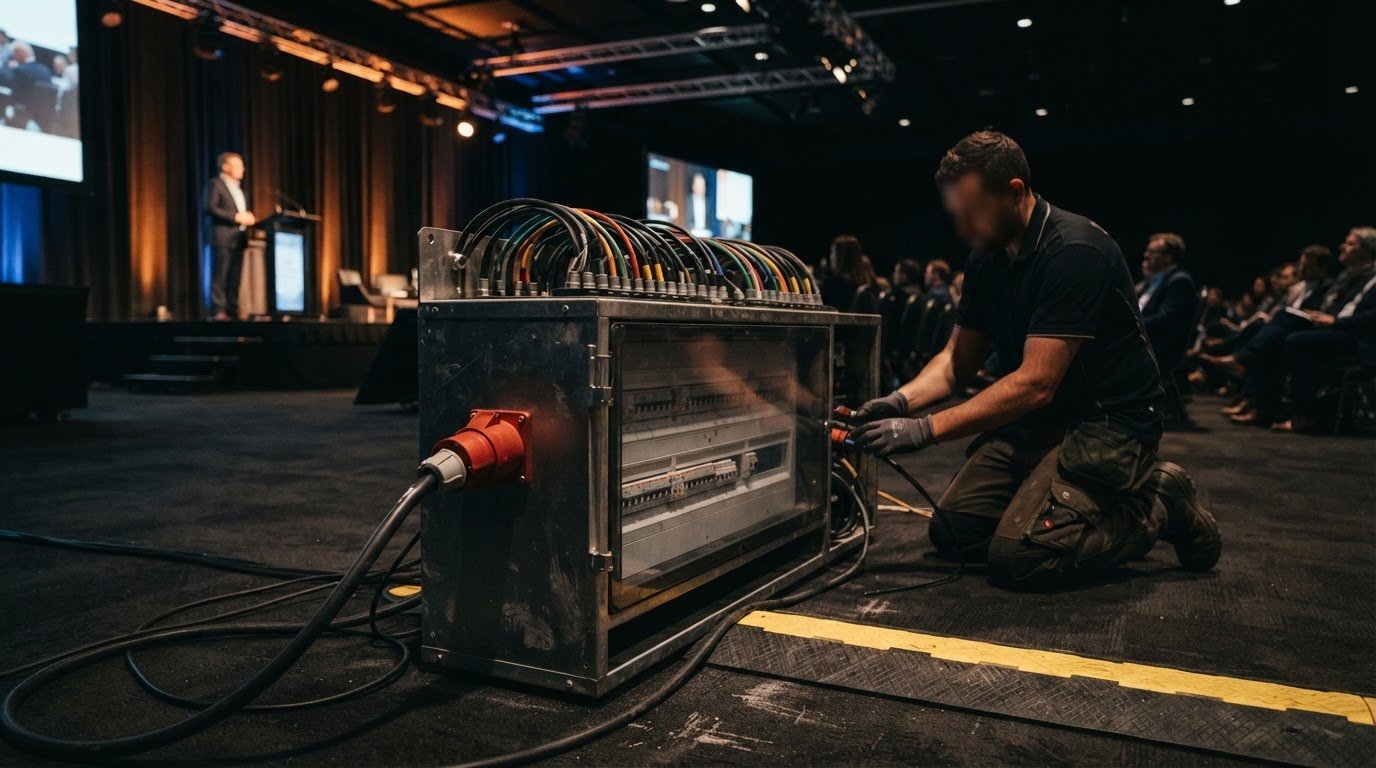
Event stage design coordinates the setting, presentation, lighting, sound and visuals so the stage suits its purpose and audience. Key elements include a clear focal point, balanced lighting, coordinated projection and sound, and an uncluttered performance area. Route cables along stage edges, secure them, and keep walkways clear to reduce clutter and trip risks.
Coordinate lighting, projection and soundPlan lighting, projection and sound together rather than treating them as separate production tasks. Position screens where seated guests can see them without blocking the presenter or competing with the backdrop. Test projected content with presentation lighting on, then adjust levels if the image looks washed out. Route cables away from foot traffic and secure them with suitable covers, not loose rugs.
Set lighting for visibility and focusSet front lighting to illuminate presenters evenly, then use backlighting to create depth against the background. Check from different seats for glare, distracting shadows and dim areas across the stage. Use ambient colour to support the event’s mood, keeping it subtle during key presentations. Adjust house lights so guests can move safely while attention stays on the speaker. Switch off or dim TVs that distract from the stage.
Use rugs and portable stage lightingChoose a rug that lies flat and suits the stage setting, then keep its edges clear of cables and walking routes. A rug can define a presentation area or soften a plain stage, but it should not create a trip hazard or conceal unsecured leads. Add portable stage lighting if the venue’s existing lights leave a presenter or performance area dim. Test the setup from the audience’s perspective and check every stage position before guests arrive.
Choosing a stage design based on theme, venue, audience, and goals
Start with the event’s purpose, then shape the stage around its venue, audience and theme. The layout should draw attention to performers without taking space away from guests.
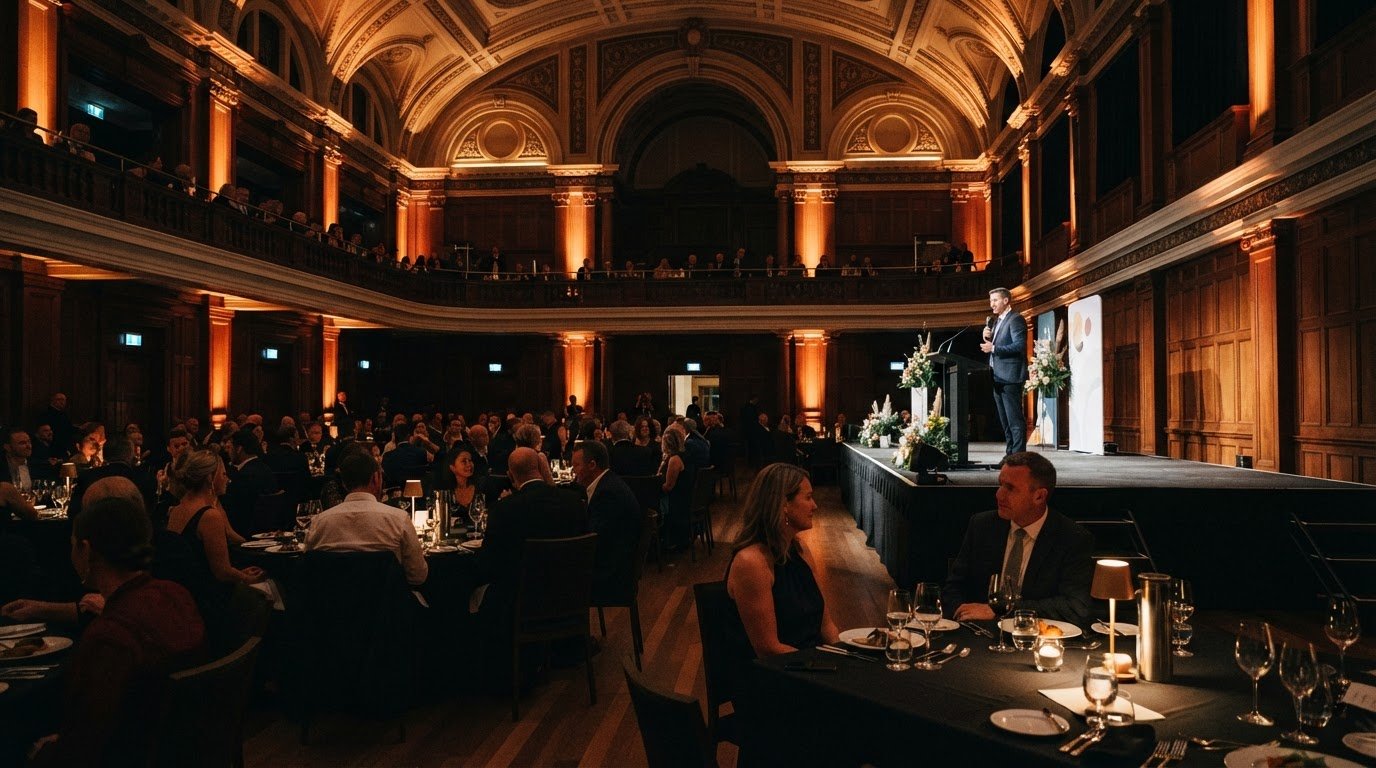
Match stage design to the eventChoose a layout that serves the programme: a conference needs a clear presentation area, while live music may need room for performers and instruments. A wider stage can suit a large hall; in a small hall, a lower, smaller stage may feel more proportionate. Measure access points, ceiling height and sightlines, then align colours and textures with the event’s branding. Avoid combinations that compete for attention.
Balance stage visibility and audience spaceArrange seating so guests can see the entire stage without crowding walkways or the performance area. Check sightlines from the back and sides, not just the front row. For a dinner event, position tables to face the stage while keeping routes between them clear. In a tight venue, adjust stage sections to preserve audience space. Walk through the room from different seats and change any layout that blocks performers.
Choose suitable stage furniture and propsSelect furniture that suits the format and keeps the presentation area uncluttered. A conference might use a lectern and a few chairs; a panel discussion may need matching chairs and a low table. Keep props relevant to the theme, and remove anything that blocks sightlines or distracts from speakers. Choose stable pieces in appropriate sizes, then position them so performers can move comfortably.
Use signage to draw audiences into the spacePlace clear event signage where it guides guests towards the performance area without obscuring the stage or venue features. Use consistent colours and typography to connect signs with the event’s visual theme, with signage specialists such as signarama-redmond.com demonstrating how branded displays and wayfinding can be coordinated across an event space. In a large room, directional signs help attendees find seating and orient themselves before the programme begins. Keep the main stage as the visual focus, with signs supporting rather than competing with it.
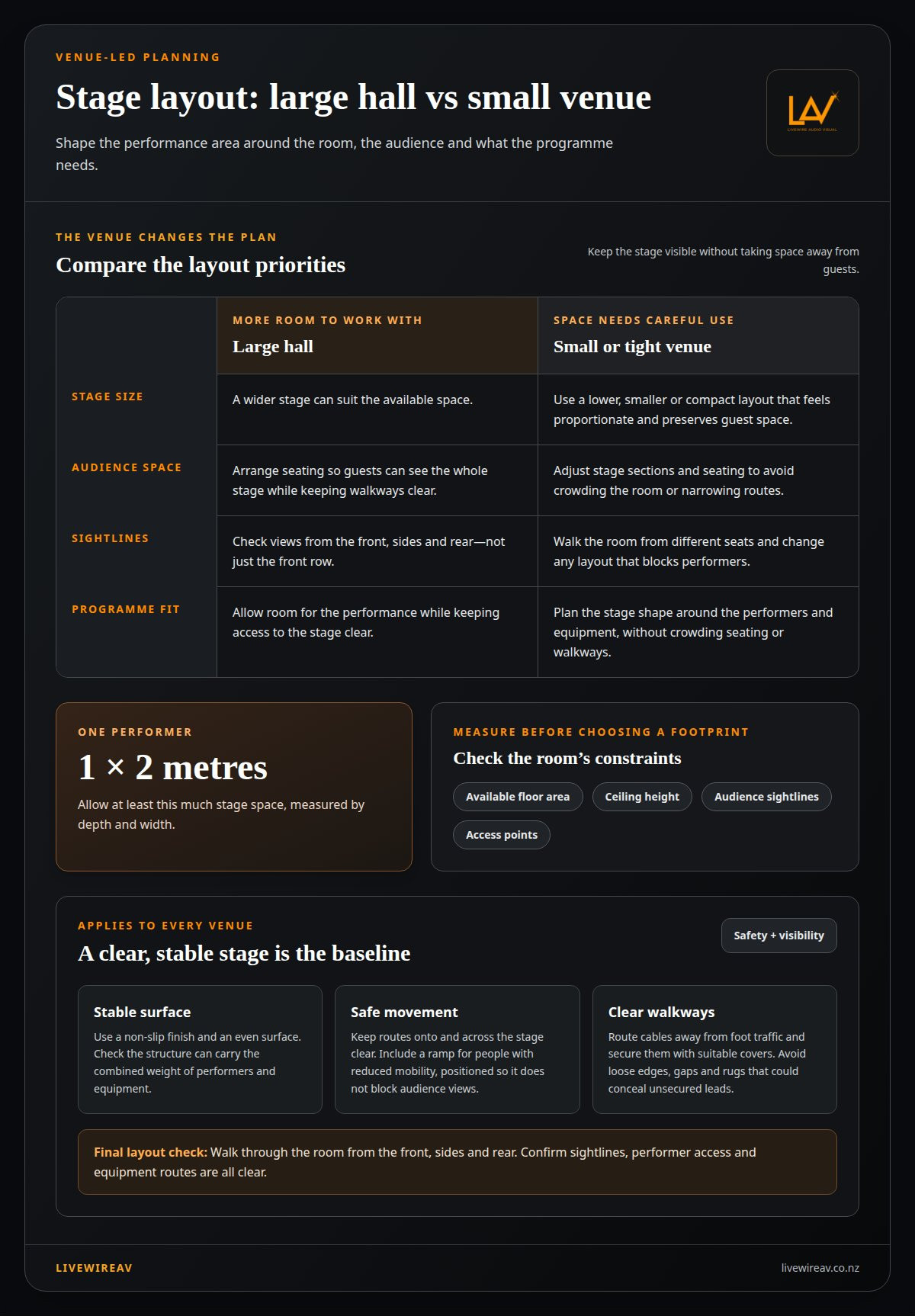
Choosing a safe, visible temporary performance area
Plan the performance area around the venue, performers and equipment. A suitable stage combines clear sightlines, stable construction and safe movement on and off stage.
Size the stage to suit the venueMeasure the available floor area, ceiling height and audience sightlines before selecting a stage footprint. A large hall may suit a wider stage, while a small room needs a compact layout that preserves guest space. For one performer, allow at least 1 x 2 metres, measured by depth and width. Include room for instruments or presentation equipment without obstructing access.
Choose modular stage equipmentChoose modular sections that can be configured to suit the room’s shape and event format. In a tight venue, a compact arrangement can create a clear visual focus without crowding seating or walkways. Modular components also make setup adjustments more straightforward. Plan the stage shape around the performance, leaving space for equipment and performer movement.
Check the stage surface and support before placing people or equipment on it. Choose a non-slip finish and make sure the structure can carry the combined weight of performers and equipment. Keep the surface even, without loose edges or gaps that could catch footwear. Even a corporate presentation with a lectern and screen needs a stable, clear route across the stage.
Plan access and sightlines as part of the layout. Include a ramp for people with reduced mobility, positioning it so it does not block audience views. Walk through the room from the front, sides and rear to spot visual obstructions. Check that performers can enter and leave safely and that equipment does not narrow their route.
Creative, immersive and interactive stage elements
Choose creative elements that support the programme, suit the room and give the audience a reason to focus. Complete the stage setup, then rehearse the full event to refine its flow, lighting and sound.
Build atmosphere with details that complement the venue rather than compete with it. In a cramped space, use a deliberate colour wash or live music instead of bulky scenery. Keep the performance area clear, and let each visual element reinforce the event’s purpose. A restrained setting can still feel considered and professional.
Add movement only when it serves the programme. Moving scenery or stage elements can create a reveal between speakers, but they need to suit the room and transitions. For a corporate event, a clean backdrop can keep attention on presenters. Augmented or virtual reality can create an immersive moment when it supports the audience experience.
Build interaction into the run sheet. A live poll or event app can invite audience participation during a presentation, while a question session can bring speakers closer to attendees. Explain how to join before the activity starts, and keep it simple enough to follow from the audience’s seats.
Rehearse once the stage setup is complete. Run the event sequence, test sound levels to reduce feedback, and adjust lighting during speaker changes. Check that speakers can hear their monitors and that cues happen at the right moments. A full run-through can reveal awkward transitions before guests arrive.
Prepare alternatives for technical interruptions. Set aside spare equipment or a workable backup for key elements, and agree how the team will communicate last-minute changes. For events with remote viewers, plan production for a hybrid audience so the stage experience works for people in the room and online.
LivewireAV: Hybrid & Livestream Events
LivewireAV supports events designed for both in-person guests and remote viewers. Its Hybrid & Livestream Events and Full Technical Production services bring the technical elements together around your event format, from the stage presentation to the livestream.
For a stage built around visual content, LED Walls & Projection can display presentations and event visuals. Audio Line Array Systems can support sound delivery across the event space. The right combination depends on your venue, audience and programme, so plan technical production early, while the stage design and run of show are taking shape.
Contact LivewireAV to discuss the technical production needs for your event.
Shape the stage around the experience you want
Give the stage one clear job: shape what guests should notice, understand or feel. That decision can guide the design discussion and keep creative choices connected to the event’s purpose. A clear brief is the practical starting point for deciding how to make an event stage look professional while ensuring each choice supports the experience you want guests to have.
Before settling on a design, consider the impression you want people to carry into the room and remember afterwards. Share that intent with the production team, along with the programme and venue context. This gives everyone a common reference point, helps manage competing ideas and keeps the stage in service of the event rather than turning it into a distraction.
To discuss your event plans and the technical production they call for, contact LivewireAV about your stage. A clear direction makes the next decisions easier, and gives your event a strong foundation to build on.
Frequently Asked Questions
How should an event stage be designed and laid out for different audience sizes and venues?
Choose a layout that matches the room and event format. A theatre-style presentation directs attention forward, while a workshop may need tables arranged for discussion. When considering how to make an event stage look professional, plan how guests will enter and find seats, as well as where they’ll watch from. In a narrow venue, orient the stage along the room’s longer sightline and keep arrival routes clear.
What lighting techniques make an event stage look professional?
Use lighting cues to mark programme changes, such as a speaker taking the floor or a video beginning. Keep transitions controlled so they do not pull attention from the content. Check how stage colours appear alongside projected slides, and avoid lighting that makes faces or screen content difficult to see. A cue sheet helps operators coordinate changes with the event schedule and is a practical part of how to make an event stage look professional.
How do you choose stage backdrops, signage, and branding?
Keep the backdrop visually simple, with event branding easy to recognise from different parts of the room. Working with branding specialists such as Zodiac Event Displays can help you source high-impact fabric backdrops and signage that photograph cleanly under stage lights. Give the event name or main identity priority, then arrange sponsor marks clearly and consistently. For example, use the same logo arrangement on the stage backdrop and presentation slides. Review text from a distance, and remove extra wording that competes with the main message.
What common stage design mistakes should event organisers avoid?
Before adding decorative pieces, props or sponsor graphics, consider how they affect the stage’s visual focus. A cluttered background can compete with speakers, while an unexpected change during the programme can disrupt a planned transition. Align the run sheet with stage cues, and rehearse changes involving presenters, video or audience interaction. This helps reveal confusing handovers before guests arrive.
Comments