Hybrid event production for in-person and virtual audiences
Reach is only an advantage when both audiences can take part without losing the thread. Effective hybrid event production connects people in the room with those joining online. Careful technical rehearsals and clearly timed cues help keep the programme coherent for everyone, while remote attendees can participate without travelling or arranging accommodation.
Wider access is valuable, but it means managing two audience experiences at once. Clear audio, considered camera coverage and reliable streaming all matter. So does giving online attendees a way to contribute, rather than leaving them to watch passively.
This guide explains how hybrid production works, what helps deliver clear audio and visuals, and how to involve virtual attendees. It also covers venue connectivity, advance run-throughs and technical cues, so you can plan a coordinated production from the first welcome to the final session.
Table of Contents
How do you ensure high-quality audio and visual experiences for both in-person and virtual attendees?
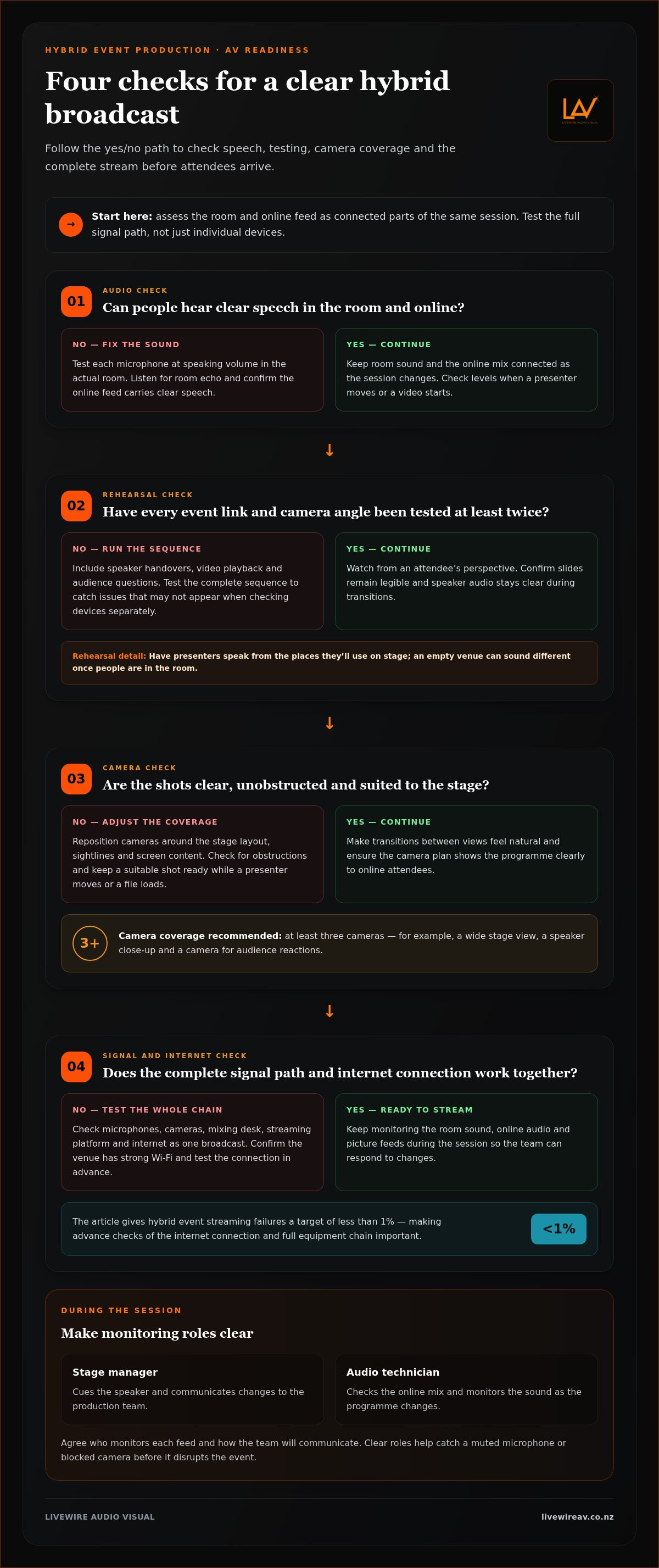
Treat room sound and the online mix as connected parts of the same session. Strong camera coverage, tested audio and reliable internet help both audiences follow the programme.
Audio-visual technical support
Technical support manages the signal path from microphones and cameras through the mixing desk to the stream. A technician can monitor room sound, online audio and picture feeds, adjusting levels when a presenter moves or a video starts. Ten Events identifies poor audio as the number one complaint from virtual attendees, so speech clarity deserves close attention.
Agree who monitors each feed during the session and how they’ll communicate changes to the production team. For example, a stage manager can cue a speaker while an audio technician checks the online mix. Clear roles help the team catch a muted microphone or blocked camera before it disrupts the event.
Livestream production
A livestream brings together cameras, professional audio equipment, a streaming platform, interactive engagement tools and reliable internet. Each has a distinct role: cameras frame the stage, audio carries speech, and the platform delivers the programme to online attendees. Test the complete signal path, not just each device in isolation, to check that the broadcast works as a whole.
Watch the stream from an attendee’s perspective. Check that slides remain legible and speaker audio stays clear during transitions, and keep a suitable camera shot ready while a presenter moves or a presentation file loads. After the event, analytics and feedback from virtual attendees can help organisers review online participation.
Technical rehearsals and audio quality
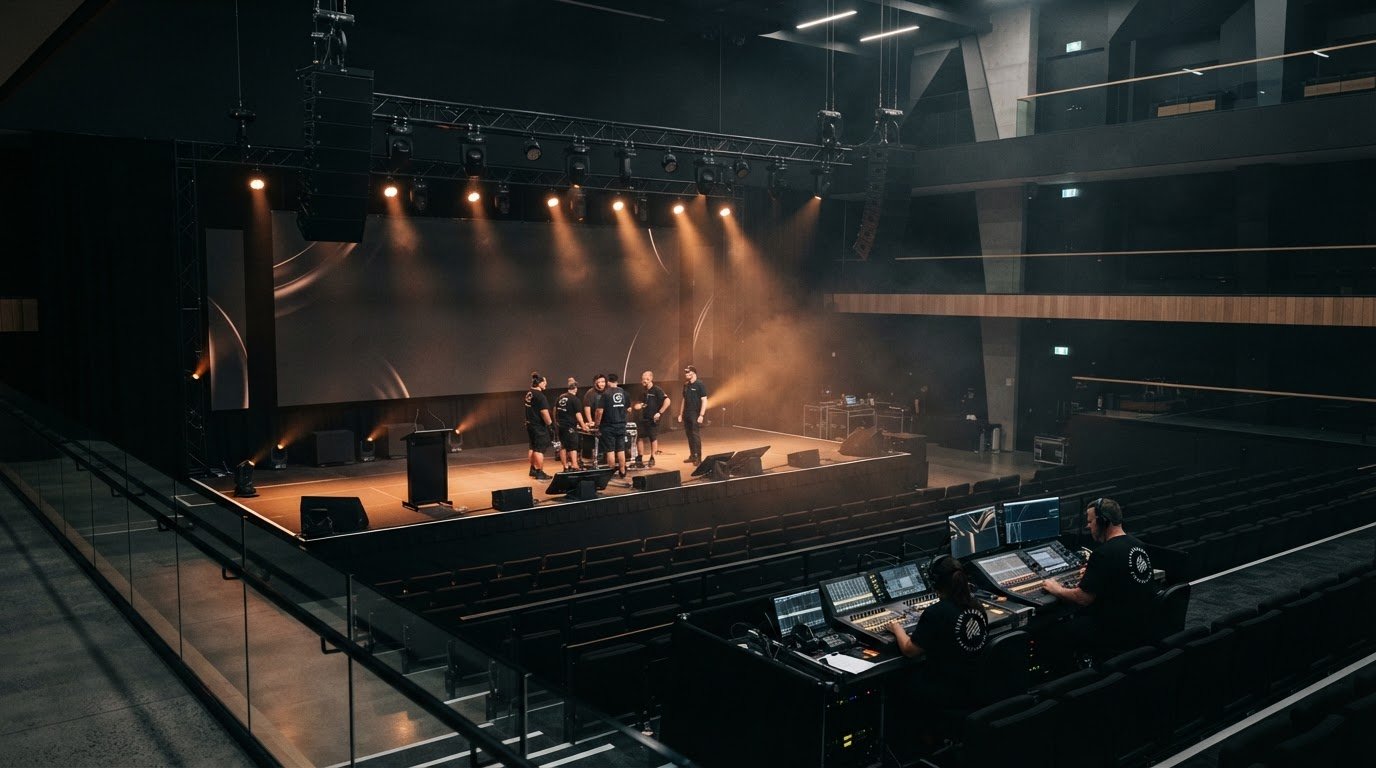
Use a technical rehearsal to test microphones in the actual room, with presenters standing where they’ll speak. Check each microphone at speaking volume, listen for room echo and confirm that the online feed carries clear speech. An empty venue can sound different once people are in the room, so assess the setup with the audience space in mind.
Test every hybrid event link and camera angle at least twice before the stream begins. Include speaker handovers, video playback and audience questions in the run-through. Testing the full sequence can reveal issues such as a microphone that works for one presenter but not the next.
Equipment and camera placement
Plan camera positions around the stage layout, sightlines and screen content. The page recommends using at least three cameras for a visually engaging broadcast: for example, a wide stage view, a speaker close-up and a camera for audience reactions. Check for obstructions in every shot and make sure transitions between views feel natural.
Match the room’s audio system to the venue and programme, then provide a clean feed for online viewers. Test sound and camera angles before the event, and confirm the venue has strong Wi-Fi. Hybrid event streaming failures have a target of less than 1%, so test the internet connection and full equipment chain in advance.
How do you engage virtual attendees in hybrid events?
Give online participants a role in the programme, not just a view of the stage. A hybrid event brings together two audiences, so plan their experiences together, from the agenda to questions and shared activities.
Start with the running order. Keep session segments under 45 minutes to help remote viewers maintain focus, and schedule breaks so they can recharge. A host in the room should address the virtual audience every ten minutes, rather than leaving online attendees to follow the conversation without acknowledgement. For example, the host can pause after a presentation, read a remote question aloud and invite the speaker to respond.
Use interactive tools that let people in both locations take part at the same time. Polls, surveys, live chats and quizzes give online participants clear ways to contribute, while a moderator can gather questions and pass them to the speaker. Include online attendees in Q&A and, when the format suits, connect them by video with in-person presenters or guests. This creates direct interaction instead of making the stream a one-way broadcast.
Choose activities that suit the event’s purpose and the audience’s circumstances. A member forum might use a shared poll to gather views before a discussion, while a conference session could include a live Q&A. Virtual attendees may join because of their preferences, schedule or circumstances, and can take part without travelling or arranging accommodation. Build the online experience around them, with clear joining instructions and an obvious way to participate.
For New Zealand events, explain accessibility and recording arrangements before the session. Tell participants how to join, ask questions and access any recording, as well as when recording is taking place and who can view it. Use readable slides, captions where available, and a way to contribute without appearing on camera. These steps support informed participation and careful handling of personal information.
Match the format to the programme. A keynote can use moderated chat and questions, while a member discussion may work better with video contributions and smaller online groups. Before publishing the agenda, mark each activity as shared, online-specific or in-room, then assign a host or moderator to manage the virtual channel. For a programme that needs coordinated participation across both audiences, plan a connected hybrid event experience.
What makes hybrid events more effective than traditional events?
Hybrid events can extend participation beyond the venue, allowing remote attendees to join without travelling or arranging accommodation. To make that advantage useful, plan around a clear goal, a suitable venue and a webcast that supports the same programme.
Plan in stages: define the outcome, design the experiences for both audiences, assess the venue and streaming requirements, then rehearse the full production. Organisers are advised to begin planning at least six to eight weeks before the event date.
Set the event goal. Decide what participants should learn, decide or contribute. For an annual conference, that might mean sharing presentations in the room while giving remote attendees a way to ask questions and take part in discussion.
Shape the format around the goal. Identify which sessions need a live audience, which can include remote speakers, and where online participation fits. A staff briefing might use a shared presentation and moderated questions, while a member forum may need time for audience discussion.
Size the physical venue. Plan for an appropriately sized in-person audience, with clear sightlines to the stage and visual content. Allow space for cameras, production positions and presenter movement, rather than treating the webcast setup as an afterthought.
Assess connectivity early. A hybrid venue should have infrastructure for high-speed wired internet. The page recommends at least 500 Mbps of upload speed; Wi-Fi may not be sufficient, particularly when onsite attendees connect their own devices.
Plan the webcast and live production together. Map how speakers, slides and audience contributions will appear on the stream. For example, assign a cue for switching from a presenter to a presentation slide, then back to the speaker, so remote viewers can follow the same session clearly.
Build in technical contingencies. Identify how the programme can continue if a connection, presentation file or microphone fails. Test venue systems twice before the event, and agree who communicates a change to presenters and the production team.
These steps help match the physical setup to the remote experience, rather than running two disconnected events. A measured plan also gives the team time to resolve venue or streaming issues before they affect participation.
Hybrid event production companies and platforms
A production team coordinates the live event, while a webcast platform delivers it online. Choose both to suit your programme, venue and the ways virtual attendees need to participate.
Hybrid production company options
A hybrid event production company coordinates the technical elements that connect the room with the online broadcast. This can include audio, cameras, vision switching, streaming, and speaker and presentation cues. Look for a plan that treats the webcast as part of the live programme, not just a separate recording.
Map your requirements before comparing production plans. A conference with several speakers may need camera changes and slide transitions, while a staff briefing may prioritise clear speech and a consistent presenter view. Consider how each plan assigns cue responsibilities, monitors the stream and routes online questions to speakers. The right production scope depends on the programme and venue layout.
Venue and streaming platform selection
Assess the venue’s physical layout and internet infrastructure together. Check where cameras and operators can work without blocking attendees, then consider how the stage, screens and presenters will appear online. A venue should have high-speed wired internet infrastructure. The recommended upload speed is at least 500 Mbps.
Match the platform to your event format. A presentation-led event may need a clear viewing experience and a simple way to submit questions. A forum may call for active participation through chat or polling. Test venue systems twice before the event, including the streaming connection. This gives the team a chance to identify issues and refine the setup before attendees arrive.
For networking, plan how online participants will meet or speak with others. Chat or breakout features can help, but the agenda needs to give attendees time to use them. For example, schedule a moderated online discussion rather than expecting people to network during a presentation. Plan the activity and platform together.
Webcast platform options
Compare platforms by the experience they offer participants, not by the number of features. Check how attendees join, watch a session, ask questions and move between programme elements. If the event combines slides and live speakers, test how both appear on a phone and computer. A focused hybrid event production plan connects platform choices to the audience’s actual journey.
Consider the organiser’s workflow too. A moderator may need to review questions before passing them to a speaker, while a host may need to announce programme changes. Rehearse these tasks using the event links and presenter materials. Afterwards, attendance and engagement analytics can help organisers assess participation and identify which sessions attracted interest. Choose a platform that supports this review.
Advance production run-throughs and technical cues
A full technical rehearsal 24 to 48 hours before the event gives presenters and production crew time to practise the complete programme. Treat it as a working run-through, not a brief equipment check: test each transition, cue and handover in sequence.
A cue sheet turns event decisions into clear instructions the team can follow. For each moment, include the running order, cue owner, trigger and next action. For example, note when the presenter finishes, when slides appear and who confirms the stream has switched to the next camera view. Clear ownership helps prevent crossed instructions during live delivery.
Rehearse the event as attendees will experience it. Ask presenters to use their actual microphones and slides, and have someone monitor the virtual feed. Check that spoken introductions, video playback and audience questions arrive in the right order. Smooth transitions depend on the presenter, stage manager and technical operator understanding each cue.
Work through the cue sequence systematically:
Confirm the opening. Test the welcome, opening visual and presenter microphone, then check that the online stream begins at the intended point.
Practise speaker handovers. Run each introduction and microphone change, including the pause before the next speaker begins.
Trigger media and slides. Check that the correct presentation or video appears, with audio routed as intended for both room and stream.
Rehearse audience interaction. Practise how a moderator receives a virtual attendee’s question and passes it to the host or speaker.
Run the closing. Confirm final remarks, end-of-stream timing and any closing visuals with the team.
Record issues from the run-through in a shared cue sheet, then assign an owner and next action to each one. If a slide is missing or a presenter changes the order, update the running order and brief every operator. This keeps the team working from the same version instead of relying on verbal updates.
Plan a contingency for a failed presentation file, muted microphone or interrupted stream. Decide who updates the presenter and what the audience sees while the crew responds. A short, agreed instruction is easier to follow under pressure than an improvised discussion.
For a production plan that needs coordinated cues across the room and stream, plan your technical production run-through.
LivewireAV: Full Technical Production
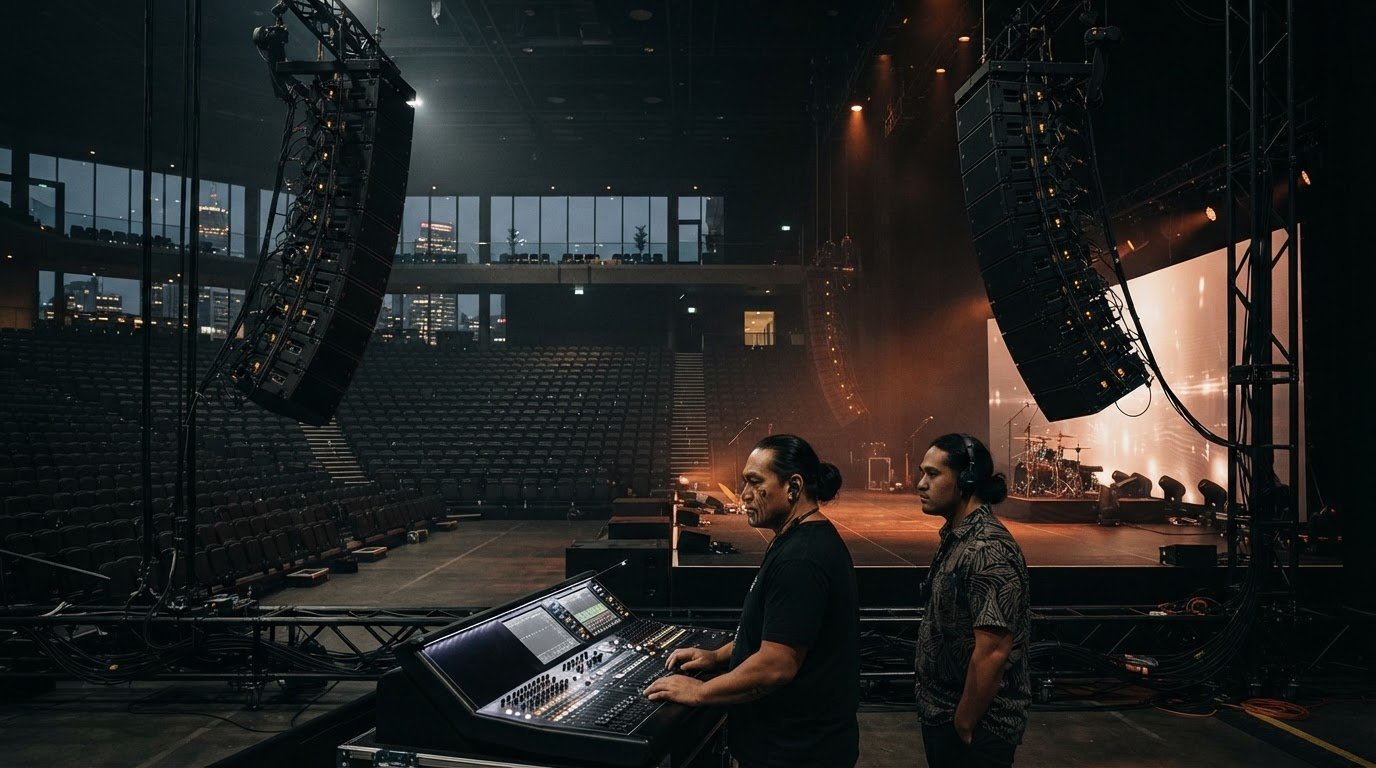
LivewireAV provides coordinated production for in-person and online audiences through its Full Technical Production and Hybrid & Livestream Events offerings. LED Walls & Projection and Audio Line Array Systems can support the production where they suit the event.
Turn to LivewireAV when planning a conference, briefing or corporate gathering that needs the room setup, sound, visuals and livestream to work together. A clear production plan connects these elements to your programme, helping presenters, technical cues and online delivery stay coordinated.
For a considered discussion about your event’s production requirements, contact LivewireAV.
Shape the next event around its purpose
Before committing to a format, decide what you want attendees to take away and how people joining online should contribute. That shared purpose gives your hybrid event production plan a practical starting point, shaping the programme, technical scope and experience for both audiences.
LivewireAV provides Full Technical Production and Hybrid & Livestream Events, with LED Walls & Projection to support visual requirements. These services can bring the room and online delivery into one considered production plan. Outline your event goals, audience mix and key programme moments, then discuss how the technical setup can support them.
Contact LivewireAV about your event to start planning. A clear brief gives the production conversation direction and helps your team move forward with confidence.
Frequently Asked Questions
How do you make sure the online audience feels included?
Give online participants a clear way to contribute and make sure their input reaches the room. Assign a moderator to welcome virtual attendees, monitor questions and alert the host when someone wants to speak. For a panel discussion, the moderator can group related questions and pass them to the chair, who can acknowledge online contributors and bring their perspectives into the conversation.
How much does a hybrid event cost?
The cost depends on the event’s scope and is provided after a quote request. For hybrid event production, key factors include the venue, programme length, audience format, technical equipment and level of production support required. A presentation with one speaker and a simple broadcast has different needs from a multi-session conference with several presenters, screens and live audience interaction. Set out these requirements in your brief to help define the work.
What are the best platforms for hosting hybrid events?
The best platform is one that suits your event format and gives participants a straightforward way to join and take part. Consider whether you need live questions, chat, polls, breakout discussions or networking, then check that those features fit the programme. For a product launch, simple viewing and moderated questions may be priorities; a member forum may need more ways for attendees to contribute.
What industries benefit most from hybrid events?
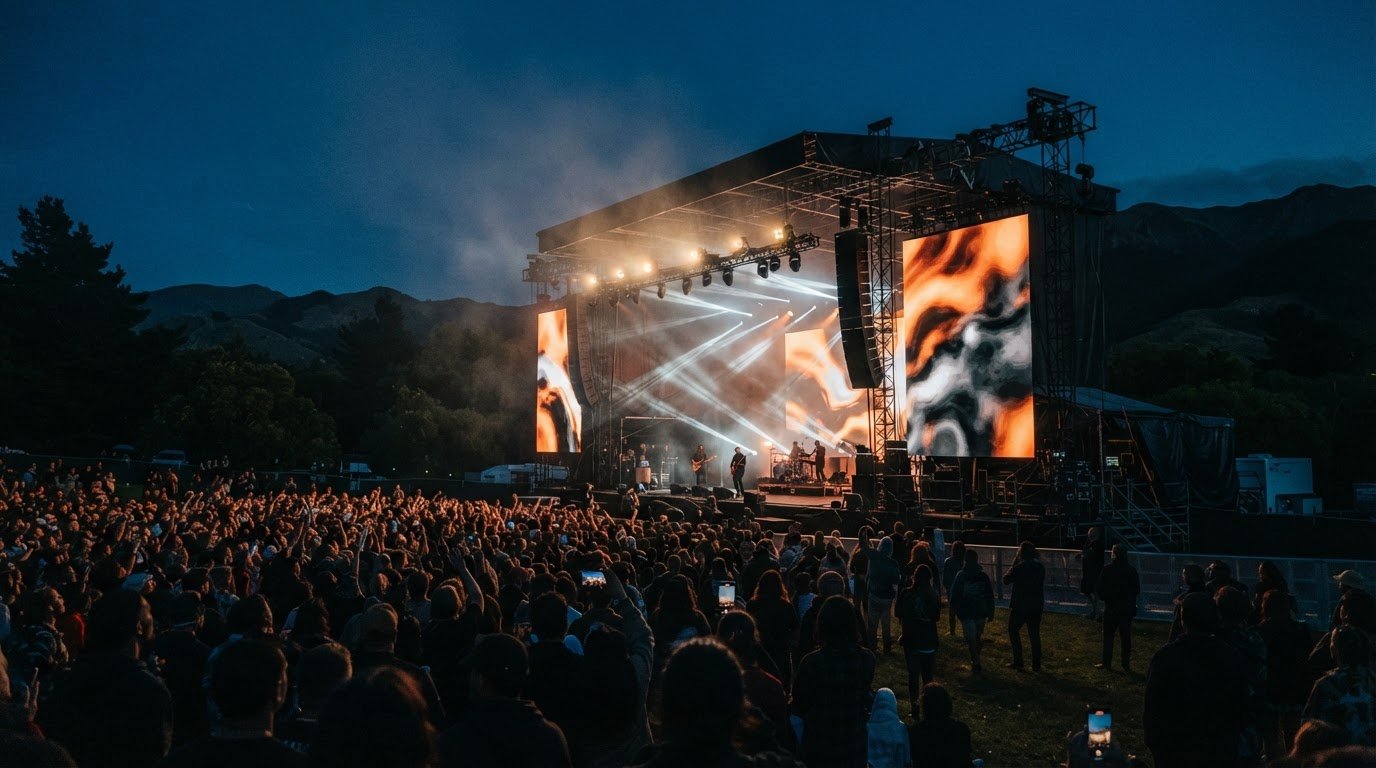
Hybrid formats suit organisations that need to bring people together across locations. Conferences, exhibitions, corporate gatherings, sporting events and outdoor productions can all use online access to include people unable to attend in person. They can also suit annual conferences, AGMs, member forums, investor briefings, board meetings with remote participants and large staff briefings, when sharing information with a dispersed audience is part of the event’s purpose.
What platforms do you use for webcast production?
Choose a webcast platform based on your event’s viewing and participation needs, rather than its name alone. It should support the format you plan to deliver, such as a speaker presentation, moderated questions or an interactive discussion. LivewireAV provides Hybrid & Livestream Events, and the platform should fit the audience journey and technical setup, including how attendees join and how the programme appears online.
What does hybrid event production involve?
Hybrid event production coordinates technical delivery for people attending in person and online. It connects the room’s sound and visuals, camera feeds, streaming and programme cues so both audiences can follow the event. For example, a conference can combine a live presenter and slides with an online broadcast, while remote participants submit questions for the speaker to answer in the room.
What equipment and technology are needed to produce a hybrid event?
A hybrid event production setup may include cameras, microphones, an audio system, vision switching and a webcast platform. The equipment depends on the venue and programme. LED walls or projection can support presentations for in-person attendees, while an internet connection carries the stream. For a panel, camera coverage can capture speakers and the wider stage, while the audio setup carries discussion to people in the room and online.
How much does production cost in New Zealand?
In New Zealand, production pricing depends on the event requirements and is provided after a quote request. Factors include venue conditions, the programme, equipment, livestreaming needs and the technical crew required. For a useful quote brief, outline the event format, location, schedule, expected audience mix and planned interaction. These details help define the production scope before costs are prepared in NZ dollars.
Comments