Set Brightness and Export Quality for Large Format LED Screens
A video made for social media or television can be reused on an LED wall, but it may need to be reformatted first. The content guidelines for large format LED screens start with the display’s exact resolution and aspect ratio: matching these helps prevent stretched visuals and poorly displayed text. File format and frame rate also need to suit the playback system.
A video that looks right on a phone or television may not work the same way on a large screen. The display’s shape, pixel layout and playback requirements all matter. This guide covers sizing content for viewing distance, setting brightness for indoor and outdoor environments, choosing resolution and exporting video in a suitable format. Use these steps to prepare content that reads clearly and plays as intended.
Table of Contents
Viewing distance and screen size
Plan screen dimensions around audience distance, then adapt text, imagery and brightness to the viewing conditions. Pixel pitch, venue scale and content layout all affect how clearly the audience can read the display.
For a New Zealand digital LED billboard, requirements can depend on local planning controls, the site and the advertising message. Check the relevant rules for the billboard’s location and content before display.
Matching content to venue scale
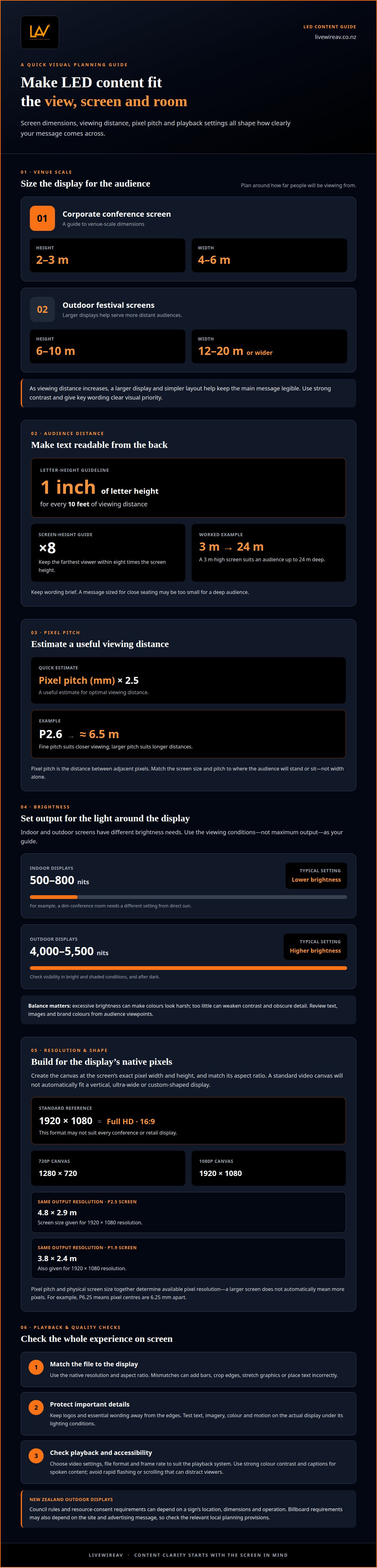
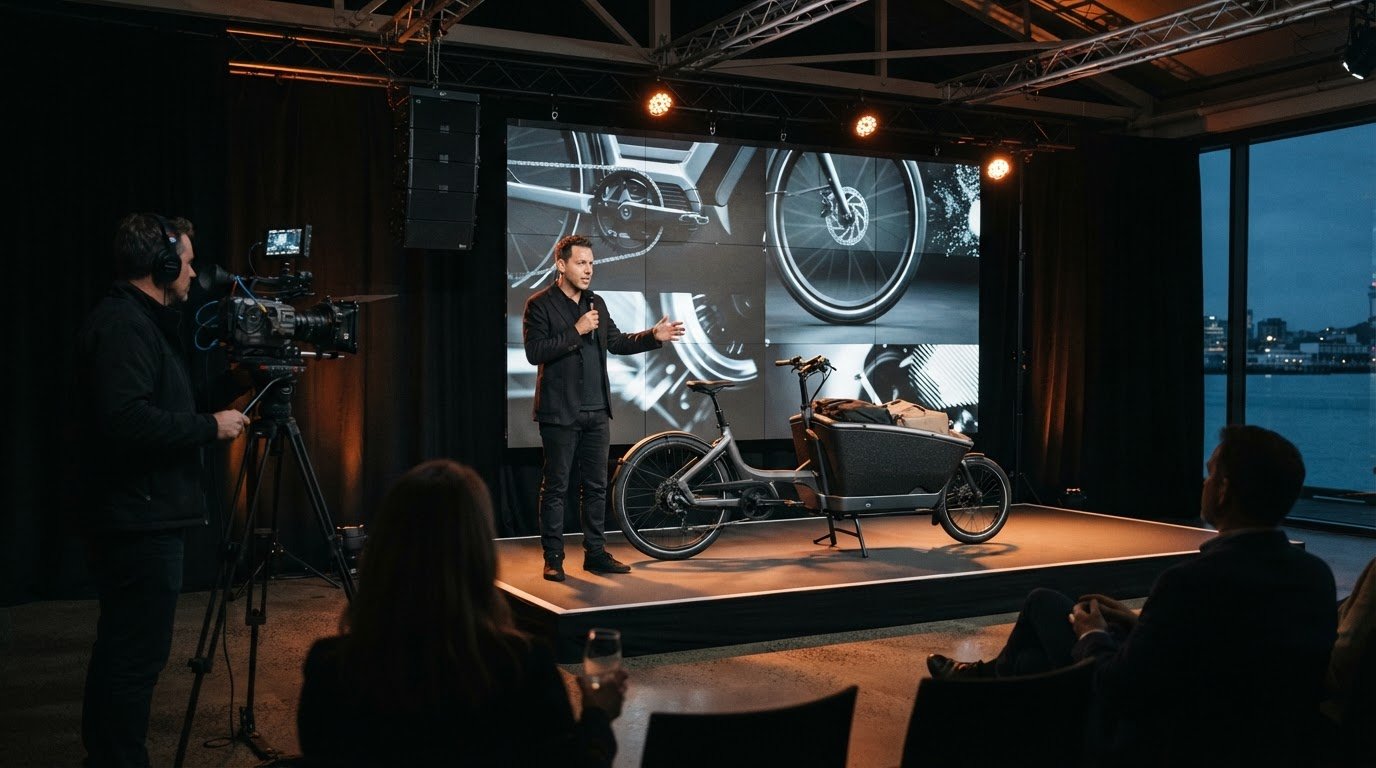
Matching content to venue scale means choosing screen dimensions and visual detail for the audience’s viewing distance. A corporate conference screen might be 2-3 m high and 4-6 m wide, while outdoor festival screens can be 6-10 m high and 12-20 m or wider. As audience distance increases, a larger display and simpler layout help keep the main message legible. Strong contrast also helps content stand out in the viewing environment.
Sizing text for viewing distance
Text sizing links letter height to the farthest expected viewer. A general guideline is one inch of letter height per ten feet of viewing distance, so a message designed for close seating may be too small for a deep audience. For a corporate event, one guideline sets the farthest viewer within eight times the screen height: a 3 m-high screen suits an audience up to 24 m deep. Keep wording brief and give key text clear visual priority.
Pixel pitch is the distance between adjacent pixels. A useful estimate for optimal viewing distance is pixel pitch in millimetres multiplied by 2.5: P2.6, for example, corresponds to approximately 6.5 m. Fine pitch suits close viewing; larger pitch suits longer distances. Match the screen size and pitch to where the audience will stand or sit, rather than choosing by width alone.
Brightness and contrast should suit the environment: indoor displays commonly use 500-800 nits, while outdoor displays use 4000-5500 nits. Rapid flashing or scrolling can distract viewers and make messages harder to follow, particularly around moving audiences. Use motion deliberately, keep the message readable, and adjust brightness for the actual viewing conditions.
Brightness considerations for indoor and outdoor screens
Set brightness to suit the light around the display, not simply to its maximum output. Indoor screens usually need less brightness than outdoor screens, where daylight can reduce visibility. A presentation in a dim conference room, for example, needs a different setting from a screen in direct sun. Adjust brightness for the actual viewing conditions.
If the display supports an ambient light sensor, it can adjust brightness as surrounding light changes. Otherwise, set the output for the expected environment and assess it under representative lighting. For outdoor screens, check visibility in both bright and shaded conditions. Excessive brightness can make colours look harsh, while too little can weaken contrast and obscure detail.
Brightness, contrast and colour accuracy work together. Use a familiar reference image or brand colour to check that highlights remain distinct and colours look consistent. Dark backgrounds with bright text can improve visibility, but the colour combination still needs clear contrast. Test the complete layout on the display, since screen dimensions and surrounding light affect its visual impact.
For accessibility, use strong colour contrast and captions for spoken content. ETSI’s example MPD delivers English subtitles for viewers who are hard of hearing, illustrating how captions can make information accessible without relying on audio.
In New Zealand, council rules and resource-consent requirements for outdoor LED signs depend on the location, dimensions and operation of the sign. Assess those site details against the relevant council’s planning provisions before installation, rather than assuming one rule applies nationwide.
For an event screen, review brightness with the room lighting in place, then check text, images and brand colours from audience viewpoints. For an outdoor display, assess visibility in daylight and after dark, and ensure the screen is suited to outdoor conditions. This practical review helps balance legibility, colour fidelity and visual impact across different applications.
What resolution should I design my content at?
Design for the LED display’s native pixel resolution and aspect ratio, rather than automatically using a standard video canvas. This helps prevent text and visuals from stretching, cropping or appearing in the wrong place.
Design for the screen, test the finished file on the actual display under its lighting conditions, then schedule playback around the event programme. Testing can reveal legibility, colour and motion issues before the audience sees them.
Designing at native pixel resolution
Native pixel resolution is the display’s exact width and height in pixels. Create the content canvas to those dimensions, then place important text and visuals inside the visible area. A standard 16:9 file may not suit a vertical, ultra-wide or custom-shaped screen. For example, 1920 × 1080 pixels is Full HD at 16:9, but it won’t automatically fit every conference or retail display.
Match the file’s aspect ratio as well as its pixel dimensions. Otherwise, the playback system may add bars, crop the edges or stretch graphics. Keep logos and essential wording away from the edges, where unusual screen dimensions can affect placement.
Relating resolution to pixel pitch and density
Pixel pitch is the distance between adjacent pixel centres, while pixel density describes how closely pixels are packed. A P6.25 display has pixel centres 6.25 millimetres apart. Pixel pitch and physical screen size together determine the available pixel resolution, so a larger screen doesn’t automatically mean more pixels.
For example, a P2.5 LED screen needs to be 4.8 × 2.9 m to achieve 1920 × 1080 resolution; a P1.9 screen needs to be 3.8 × 2.4 m for the same resolution. Text and image detail should suit the display’s pixel density. A 720p canvas is 1280 × 720 pixels, while 1080p is 1920 × 1080. Indoor LED settings should use the actual display resolution, rather than assuming a television format will fit.
Video formats, codecs and export quality
A social media or television video can be reused on an LED wall, but its export may need adjustment. The decisive factors are the screen’s aspect ratio, resolution and playback system. A standard 16:9 file suits many video applications, but custom or modular displays can use different proportions. Match the composition to the installation so the audience sees the full image without stretching or unwanted cropping.
A codec compresses and decompresses video, while the file format packages it for playback. MP4 is commonly used for video content, subject to the playback system’s specifications. Static graphics may be delivered as JPEG or PNG files. Confirm the required file type and codec for the playback system, as a file that opens on a laptop may not be compatible with the display setup.
Choose a frame rate that suits the source footage and playback requirements. LED video content can be exported at 30 fps or 60 fps; keeping the export consistent with the footage helps avoid uneven motion. For 1080p content, a bitrate of 10 to 20 Mbps is an appropriate guide. Higher data rates can preserve more detail, but the playback system must be able to handle the file.
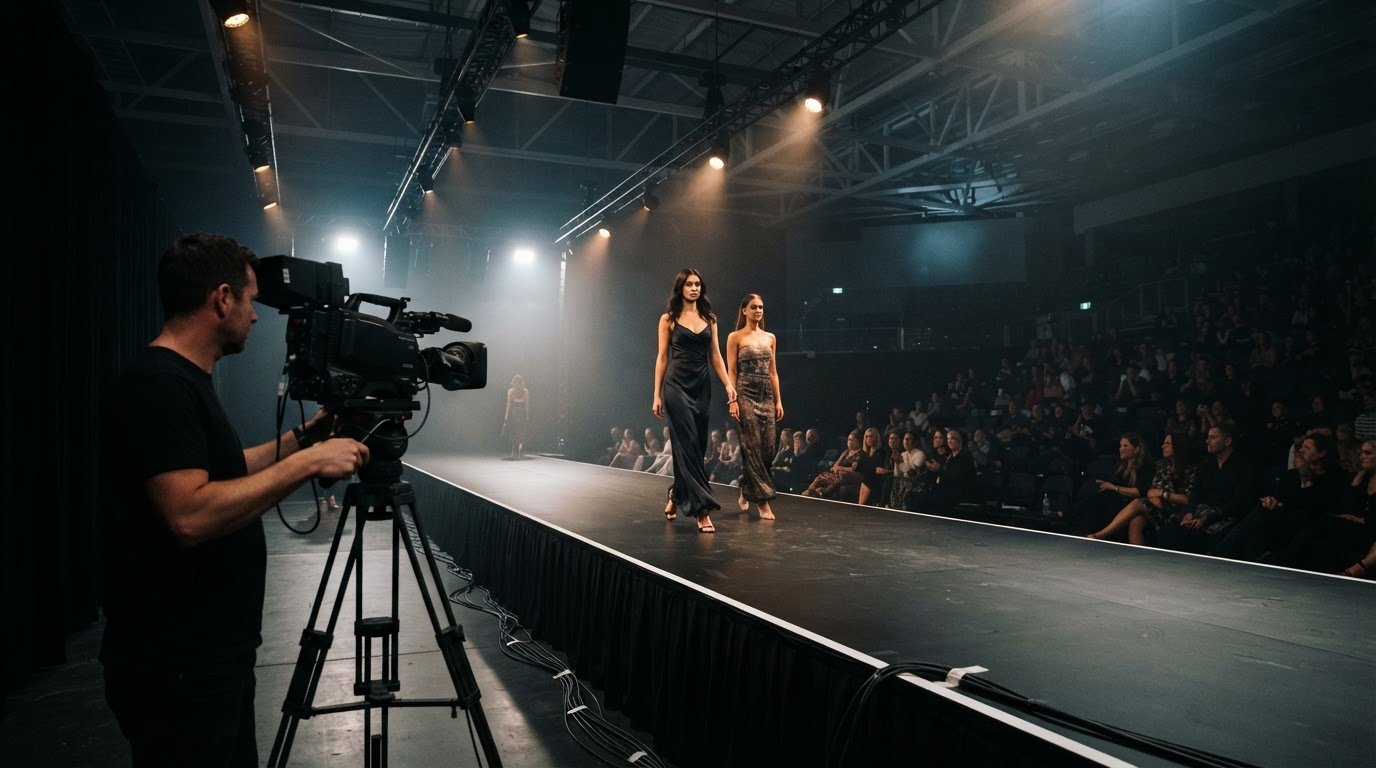
For broadcast and IMAG, where cameras show presenters or performers on the screen, 4K is recommended. Some displays support 10-bit video, which can carry more colour information than 8-bit content. Support varies by display and playback chain, so an export setting only helps if each part can process it. Test motion, gradients and colour on the actual screen before delivery.
Keep a high-quality master file, then export a playback copy to the agreed specifications. Check that audio, duration, aspect and resolution are correct, and play the complete file through the intended system. For event-specific playback planning, plan your LED wall content around the screen and audience.
LivewireAV
LivewireAV can help align screen requirements with content and technical production for your event. For a conference, exhibition or outdoor production, its Full Technical Production and LED Walls & Projection services bring display considerations into the wider event setup.
Share the venue, audience layout, screen dimensions and intended content. These details help guide decisions about resolution, playback and how the display fits the event. For hybrid or livestream events, planning the screen alongside the wider production can also help keep on-site visuals and streamed content coherent.
Contact LivewireAV to discuss your event’s LED screen and content requirements.
Set your screen up for the event ahead
Make the content handover part of event planning, rather than leaving file delivery to the last minute. Agree on who supplies the final assets, how they’ll be approved and when they’ll be tested within the production schedule. This gives the creative team and event crew a shared reference point before setup begins.
Use these content guidelines for large format LED screens as a starting point, then shape the final plan around your venue, audience and programme. LivewireAV’s Full Technical Production, Hybrid & Livestream Events, and LED Walls & Projection services can support different event requirements.
Bring your screen plans and content requirements together with LivewireAV’s event production team. A clear plan gives your visuals room to support the event, while keeping the technical decisions connected to the experience you want to create.
Frequently Asked Questions
Can I reuse social media or TV content on my LED wall?
Yes, footage can often be reused, but prepare a separate LED-wall export rather than relying on the original file unchanged. A vertical social clip may need reframing for a wide screen, while television graphics can appear too small when enlarged. Review the opening and closing frames, captions and on-screen text to make sure the content still works in the event setting.
Does brightness affect how content looks?
Yes. Brightness affects how clearly colours, shadows and fine details appear. Dark text over a dark image can lose definition if screen output is low, while overly intense whites can make a presentation look harsh. Assess a representative slide or video frame on the display, then adjust brightness and contrast together to preserve the intended visual balance.
What content design guidelines apply to large-format LED screens?
Give each screen sequence one clear purpose, such as introducing a speaker or displaying a sponsor message. A practical part of content guidelines for large format LED screens is setting a clear visual hierarchy, so the main message stands out from supporting details. Keep transitions restrained and use movement to support the information, not compete with it. For a conference, keep the speaker’s name prominent.
What resolution, aspect ratio, and pixel pitch should LED screen artwork use?
Use artwork dimensions that match the display’s pixel map and physical shape. An important part of content guidelines for large format LED screens is composing for the screen’s aspect ratio, rather than stretching a standard frame. Pixel pitch affects image detail, so intricate patterns and thin lines may lose definition when pixel spacing is wider. Prioritise bold shapes for distant viewing.
How do brightness and contrast requirements vary for indoor and outdoor LED screens?
Indoor screens are viewed under controlled room lighting, while outdoor screens need to remain visible as daylight and surrounding conditions change. Contrast matters in both settings because it separates text and images from their backgrounds, even when brightness changes. Review the content at the intended time and location, including darker scenes, to preserve detail without making bright colours overpowering.
What video formats, frame rates, and file sizes do LED screen controllers support?
Supported settings depend on the playback system. MP4 is commonly used for video, while static graphics may be supplied as JPEG or PNG. Video exports may use 30 fps or 60 fps, and 1080p content can use a bitrate of 10 to 20 Mbps. File size depends on duration and export settings, so prepare the file to the playback system’s specifications.
Comments